Product Manager Claude Starter-kit
it has use cases from beginner to advanced

Claude Starter Kit — @nazukjain
Six prompts that show you what Claude can actually do
Most people open Claude, ask it one thing, and close the tab. These are the prompts that change that. One for each capability — copy, fill in the brackets, go.
🟢 Beginner friendly
Start here this week
1. The stuck decision prompt
Use this when you're going in circles on a decision and need someone to push back — without scheduling a meeting.
I'm a [PM / senior PM / product lead] and I'm stuck on a decision about [topic].
Here's where I am: [paste your current thinking, even if it's messy].
Do three things:
1. Tell me the assumption I'm making that could be wrong.
2. Make the case for the opposite direction.
3. Give me the one question I should be asking that I'm not. Don't tell me what to do. Help me think.
1. Tell me the assumption I'm making that could be wrong.
2. Make the case for the opposite direction.
3. Give me the one question I should be asking that I'm not. Don't tell me what to do. Help me think.
What you get
The pushback your manager might give — before they give it. Useful in under 5 minutes.
2. The stakeholder prep prompt
Use this before any meeting where the stakes are high and you have limited time to prepare.
I have a [meeting type] in [X time] with [stakeholder type].
Topic: [what it's about]
My goal: [what I want to walk out with]
What I'm worried about: [the objection or dynamic you're dreading] Give me:
— The 3 most important things to say
— The 2 objections I'm most likely to face, and how to handle each
— One question I should ask them
My goal: [what I want to walk out with]
What I'm worried about: [the objection or dynamic you're dreading] Give me:
— The 3 most important things to say
— The 2 objections I'm most likely to face, and how to handle each
— One question I should ask them
What you get
A full prep doc in one shot. Read it once, walk in ready.
🟡 One step up
Try once you're comfortable
3. The long doc review
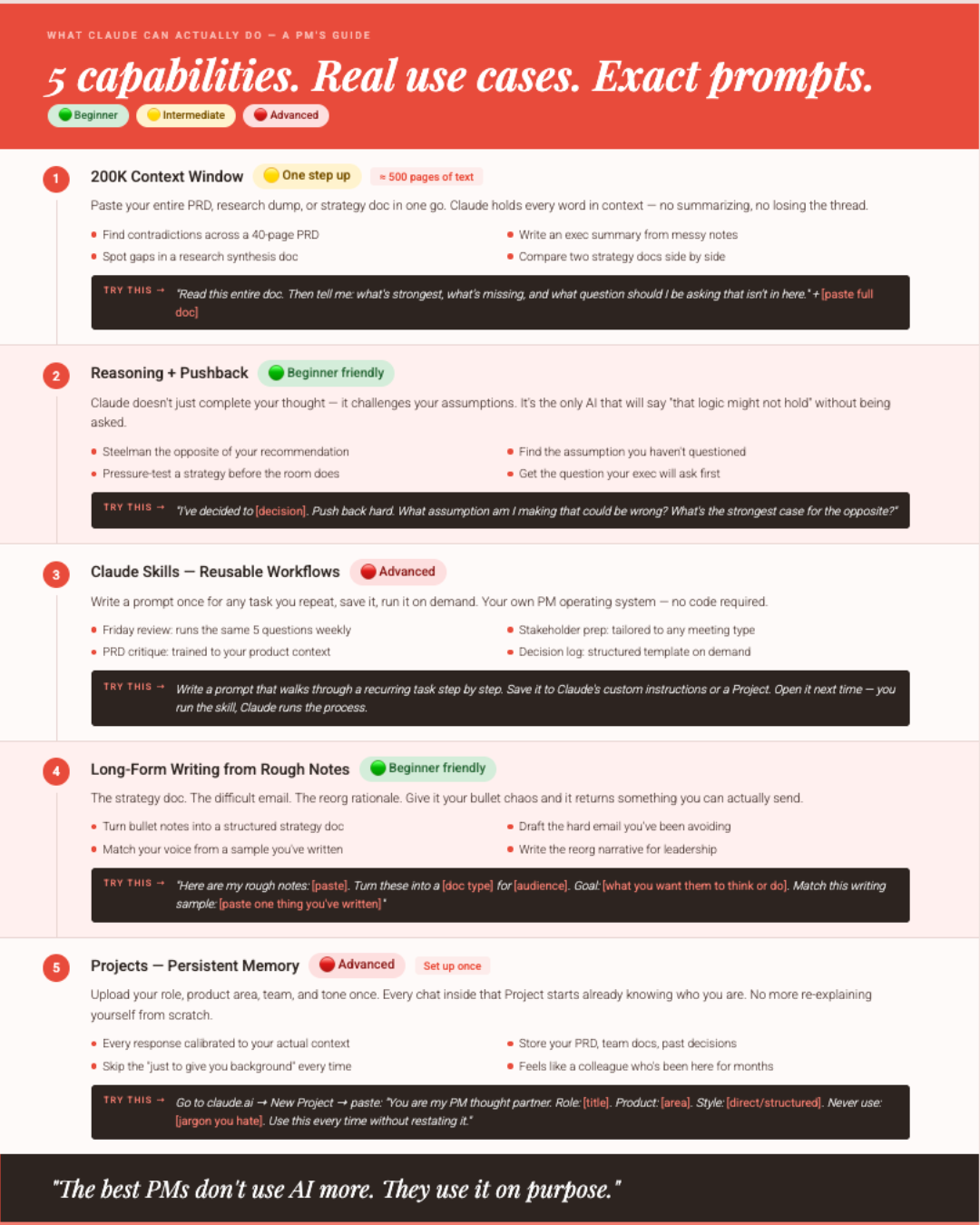
This is where Claude's 200K context window earns its keep. Paste everything. Don't summarize first.
I'm going to paste a [PRD / strategy memo / research synthesis / decision doc].
Read the entire thing before responding. Then give me:
1. What's strongest about this
2. What's unclear, missing, or contradictory
3. The exec summary in 5 sentences
4. The one question I should be asking that isn't in here Here's the doc: [paste full text]
1. What's strongest about this
2. What's unclear, missing, or contradictory
3. The exec summary in 5 sentences
4. The one question I should be asking that isn't in here Here's the doc: [paste full text]
What you get
A real critique that holds the whole document in context. Works best when you paste everything — don't trim it down first.
4. The "explain this to my stakeholder" prompt
For any time you need to translate something technical or nuanced into a version someone else can act on.
I need to explain [concept / decision / tradeoff] to [exec / non-technical stakeholder / new team member].
They care about: [their priority — business impact, timeline, risk, etc.]
They don't need to know: [what to leave out] Write a clear, jargon-free explanation I can use in a meeting or drop into a Slack message.
They don't need to know: [what to leave out] Write a clear, jargon-free explanation I can use in a meeting or drop into a Slack message.
What you get
The version of the thing you actually say out loud. Edit lightly to sound like you.
🔴 Advanced
Set these up once, use them forever
5. The Friday weekly review
Save this as a Claude Skill or bookmark it. Run it every Friday. It replaces an hour of unprocessed mental noise with 10 focused minutes.
Run my weekly PM review. Ask me these questions one at a time and wait for my answer before moving to the next:
1. What did I ship, move forward, or close this week?
2. What got stuck, and what's the actual blocker?
3. What decision did I make? Do I still stand behind it?
4. What would I do differently?
5. What's the one thing I need to protect time for next week? After I've answered all five, summarize my week in 3 sentences and tell me the one thing I should focus on Monday morning.
2. What got stuck, and what's the actual blocker?
3. What decision did I make? Do I still stand behind it?
4. What would I do differently?
5. What's the one thing I need to protect time for next week? After I've answered all five, summarize my week in 3 sentences and tell me the one thing I should focus on Monday morning.
What you get
A structured reflection in 10 minutes. Run it every Friday — the consistency is the point.
6. Claude Projects setup — do this once
Paste this into a Claude Project's system instructions. Every chat inside that Project starts knowing exactly who you are.
You are my PM thought partner. Here's everything you need to know about me:
Role: [your title and level]
Company / product area: [what you work on]
Team structure: [who you work with]
My biggest current focus: [what you're working toward this quarter]
My communication style: [direct / structured / conversational]
Words I never use: [jargon you hate] From now on, every conversation starts with this context. Don't restate it back to me. Just use it.
Company / product area: [what you work on]
Team structure: [who you work with]
My biggest current focus: [what you're working toward this quarter]
My communication style: [direct / structured / conversational]
Words I never use: [jargon you hate] From now on, every conversation starts with this context. Don't restate it back to me. Just use it.
What you get
A Claude that feels like it knows you. Every chat picks up from there — no re-explaining.
Start here
Pick Prompt 1 or Prompt 2. Open Claude right now. Paste it in. Fill in the brackets with whatever's on your plate this week.
You'll know within 3 minutes if this changes how you work. It will.
The best PMs don't use AI more. They use it on purpose.
Found this useful? Share it and tag @nazukjain
@nazukjain